





















































Getting Started
Getting started with AI Ignite only takes a few minutes. Simply choose the plan that's right for you, select how you'd like your website to be accessed, complete the checkout, and you'll be ready to upload your AI-generated website.
Step 1: Choose Your AI Ignite Plan
Visit the AI Ignite page on the Hipposerve website and choose the plan that best suits your needs.
https://hipposerve.com/ai-ignite
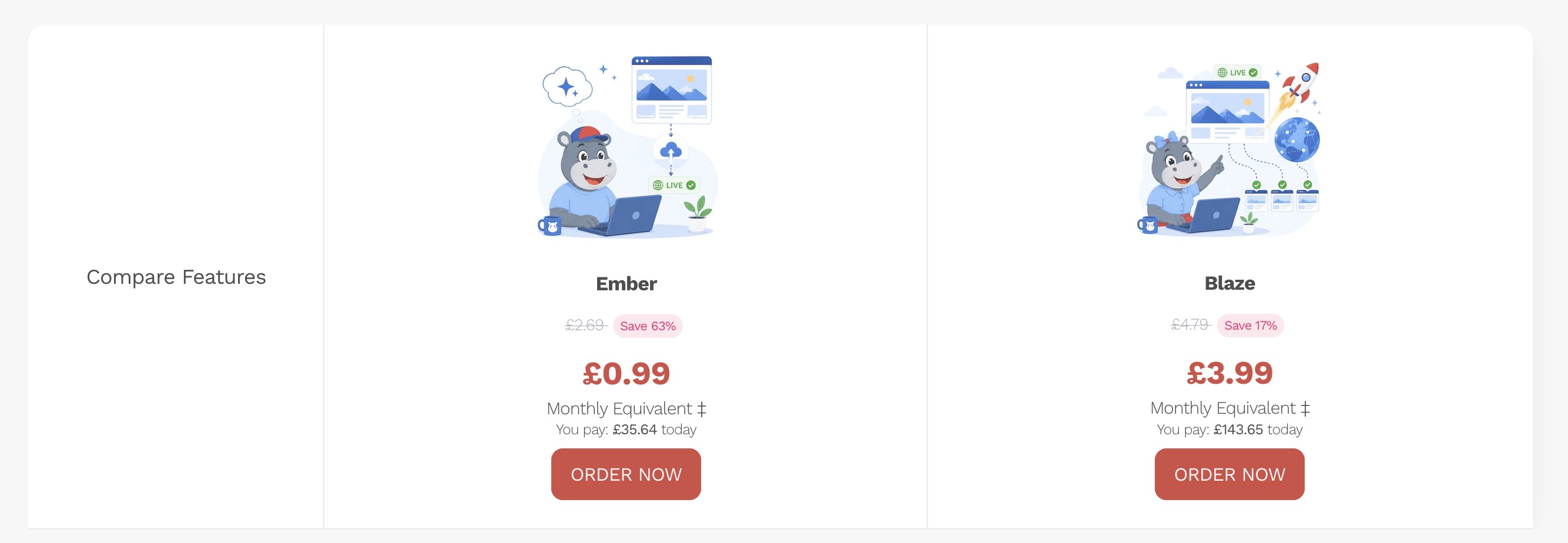
Note: Prices shown in screenshots are for illustration only and may differ from the current prices shown on our website.
Step 2: Choose Your Domain Option
During the order process you'll be asked how you'd like visitors to access your website.
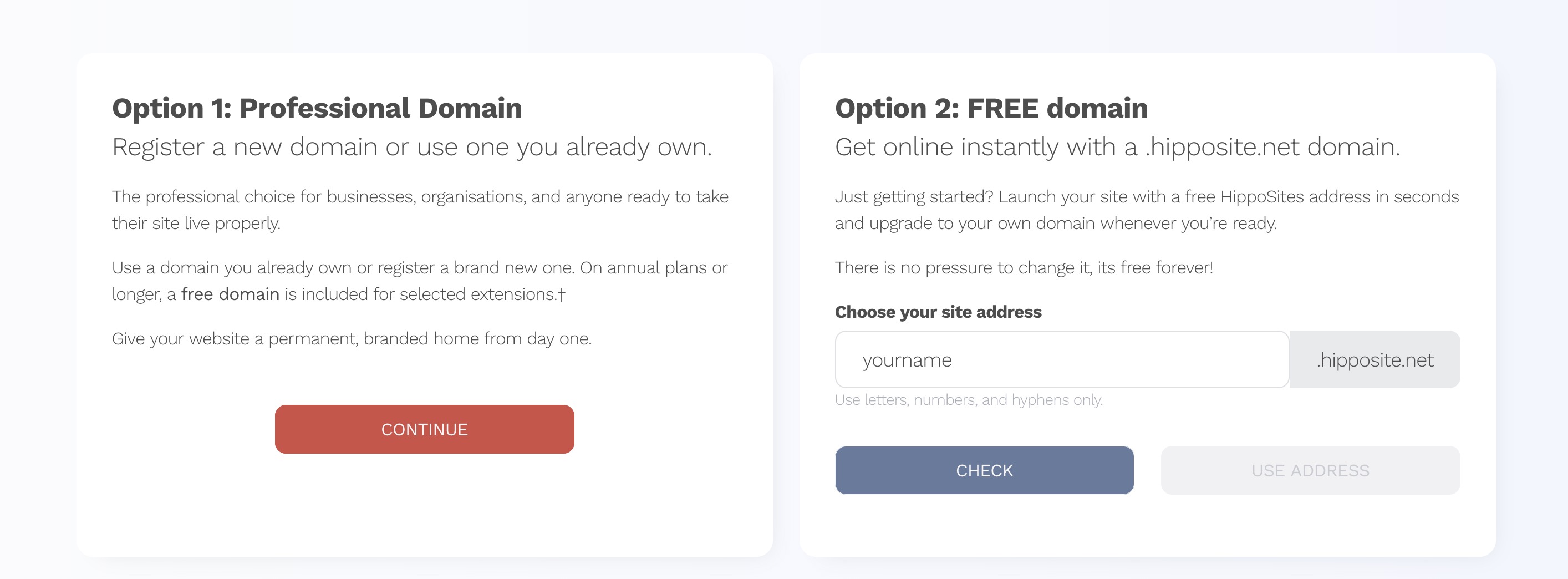
Option 1a: Buy a New Professional Domain
If you're creating a website for a business, organisation or professional project, we recommend purchasing your own domain name.
Your own domain gives your website a professional identity, is easier for customers to remember, and helps build trust. Depending on your billing cycle and the domain extension selected, your domain may even be included free with your hosting plan.
Option 1b: Use an Existing Domain
If you already own a domain name, you can use it with AI Ignite.
Once your website has been published, you'll simply need to update your domain's DNS settings so that it points to your new AI Ignite hosting account. Full instructions are provided in our knowledge base.
Option 2: Use a Free HippoSites Domain
Want to get online immediately without buying a domain?
You can choose a free yourname.hipposite.net address during checkout.
Your free HippoSites domain is included for as long as you keep your AI Ignite hosting plan, making it perfect for learning, testing ideas, personal projects or launching a new business before investing in a professional domain.
If you decide to purchase your own domain later, you can upgrade at any time without rebuilding your website.
Step 3: Complete Your Order
Once you've selected your hosting plan and domain option, simply complete the checkout process as you would with any other online purchase.
After your payment has been successfully processed, your AI Ignite hosting account will be created automatically.
Step 4: Your Order Is Ready
After your order has been completed successfully, you'll be taken to the Order Complete page.
From here you'll be presented with two options:
- Upload Your Website to publish your AI-generated website straight away.
- Skip for Later if you're still working on your website and want to upload it at another time.
Don't worry if your website isn't ready yet. You can return to the Hipposerve Portal at any time and upload it whenever you're ready.
In the next guide we'll show you how to prepare your AI-generated website ready for upload.