
























































Service Management: User Data
The User Data feature allows you to provide automated configuration instructions for your VPS using a technology called Cloud-Init.
Cloud-Init is a system used by many cloud providers that allows instructions to be passed to a server when it boots. These instructions can automatically configure the server, install software, create users, or modify system settings.
This feature is primarily intended for developers, system administrators, and advanced users who want to automate server setup.
Common uses for User Data include:
- Automatically installing software packages during server startup.
- Creating system users or configuring SSH access.
- Deploying configuration files for applications or services.
- Running automation scripts when the server boots.
- Setting up development or testing environments quickly.
Instructions are typically written using Cloud-Init YAML syntax, which allows structured configuration commands to be executed when the server starts.
Accessing User Data
- Open your VPS in the Hipposerve® Portal (see here).
- In Service Management, click the User Data icon.
This will open the User Data interface where you can enter or modify your Cloud-Init configuration instructions.
Updating User Data
- Enter your Cloud-Init configuration into the text box.
- Click the Confirm button to save your changes.
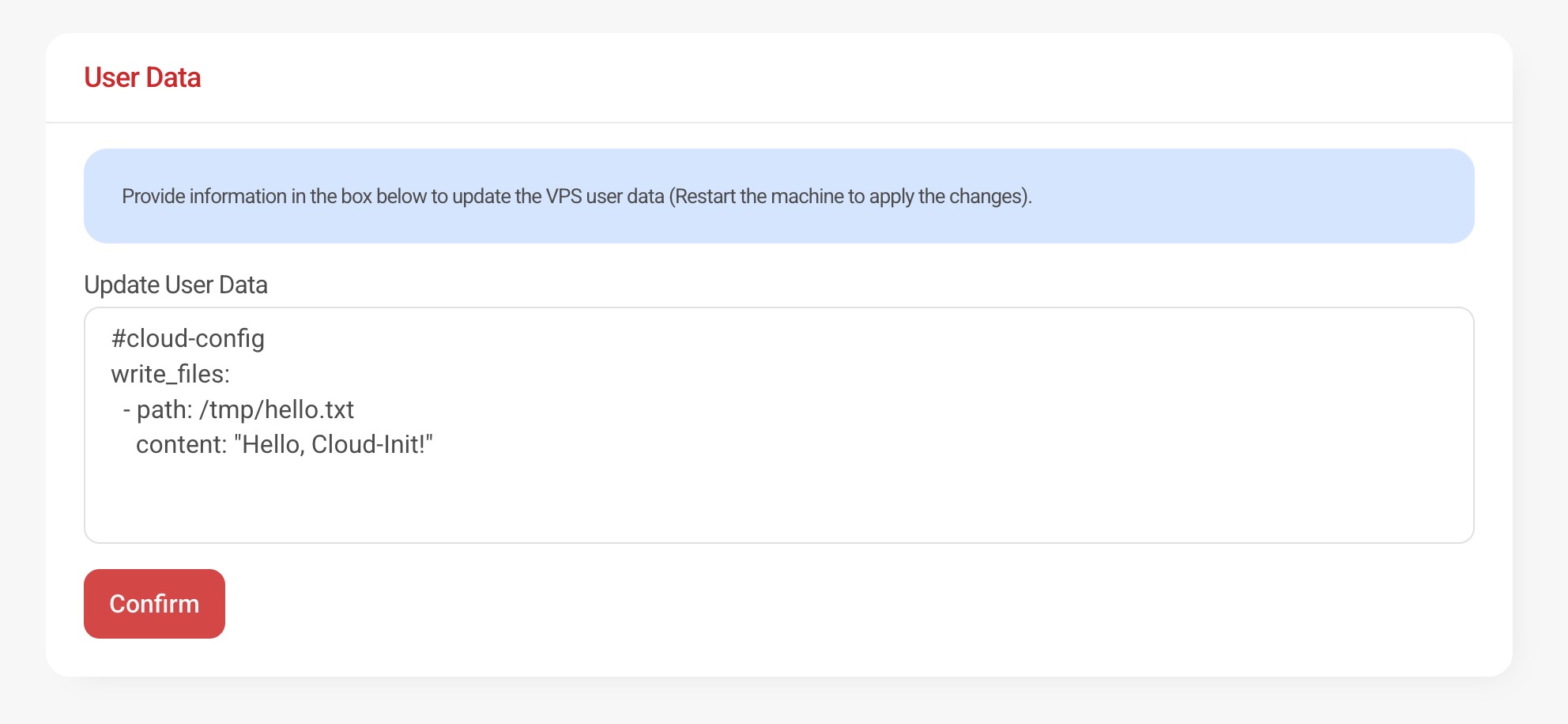
Once confirmed, the updated configuration will be stored for your VPS instance.
Applying Changes
After updating the User Data configuration, you must restart your VPS for the changes to take effect.
Cloud-Init instructions are processed during the server boot process, so a restart is required for the new configuration to run.
Best Practice Recommendation
Before modifying your VPS User Data configuration, we strongly recommend creating a snapshot of your VPS.
User Data instructions are processed during the server boot process and may modify system configuration, install software, or change critical system settings. If an incorrect configuration is applied, it could affect server operation or prevent services from starting correctly.
Creating a snapshot beforehand allows you to quickly restore your VPS to a known working state if the configuration does not behave as expected.
You can learn more about creating snapshots here:
Service Management: VPS Snapshots
Important Disclaimer
Warning: Incorrect Cloud-Init configurations may cause system configuration errors or prevent services from starting correctly.
In severe cases, incorrect user data instructions may cause your VPS to fail to boot properly.
Hipposerve® provides the User Data feature as an advanced automation tool and does not provide support for custom Cloud-Init configurations.
Hipposerve® accepts no responsibility for boot failures, configuration errors, service interruptions, or data loss resulting from incorrect User Data instructions.