
























































Service Management: VPS Recovery Partitions
If a configuration error occurs on your VPS, it is possible that the server may no longer boot correctly. This can happen if important system files are modified, deleted, or misconfigured, or if a software installation causes the operating system to fail during startup.
In situations like this, you may no longer be able to access your server through normal methods such as SSH or the operating system console.
To assist with these situations, Hipposerve® provides a selection of recovery partitions that can be installed on your VPS. These recovery environments allow you to boot your server into a separate maintenance system, giving you the opportunity to investigate and repair issues with your existing installation.
Installing a recovery partition adds an alternative boot environment to your VPS. From this environment you may be able to:
- Access the server filesystem
- Repair configuration errors
- Restore damaged files
- Recover important data
- Diagnose boot or system problems
This can be extremely useful when a server becomes inaccessible due to configuration mistakes or software failures.
Accessing Recovery Partitions
Recovery partitions are accessed in the same way as installing or reinstalling an operating system or application image.
- Open your VPS in the Hipposerve® Portal (see here).
- Go to Service Management and open the Application / OS Installation section.
- Select the ISO Images tab.
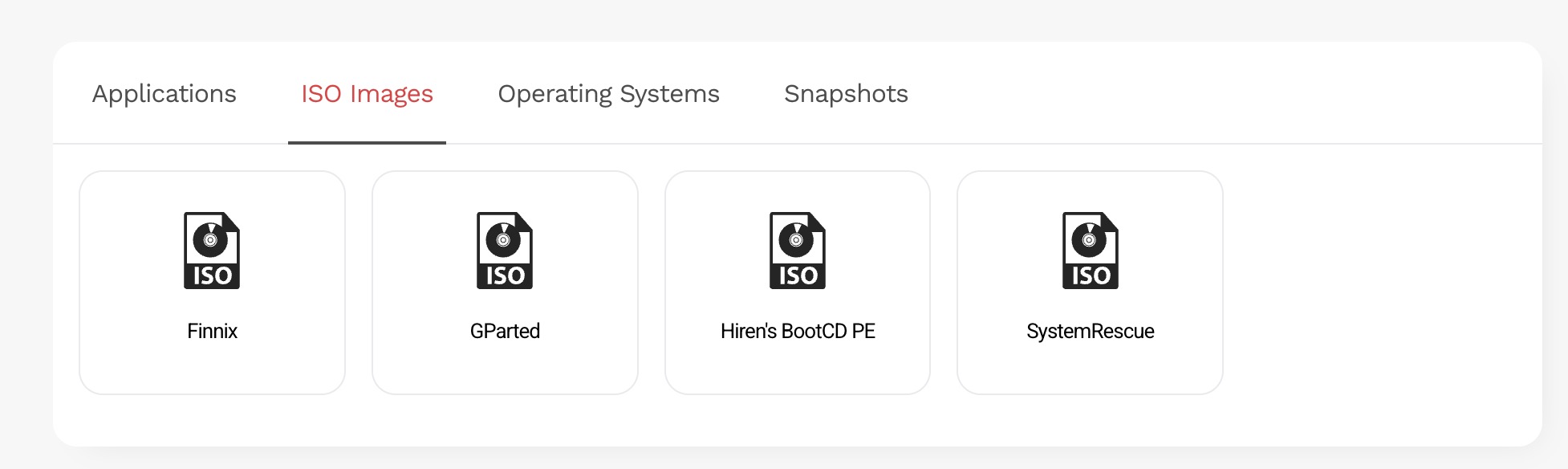
Within this section you will find a selection of available recovery environments.
- Choose the recovery partition that best suits your requirements.
- Confirm that you wish to install the recovery environment.
Your VPS will then reboot using the selected recovery partition, allowing you to begin troubleshooting and recovery procedures.
Important Disclaimer
Warning: Recovery environments are provided as tools to assist experienced users in diagnosing and repairing issues with their VPS instances.
Hipposerve® is unable to provide technical support for the recovery process itself. While we provide the tools necessary to access your server in a recovery environment, you remain responsible for performing any recovery operations.
Hipposerve® accepts no responsibility for data loss, system damage, configuration errors, or other issues that may arise while attempting to recover or repair a VPS instance.